

The first home office I set up had a wired keyboard and mouse, two USB cables running across the back of the desk, zip-tied to the monitor stand so they would stay out of the way. It worked. It also made the desk look like a junction box, was annoying to clean around, and had that low-grade aggravation of cords going taut every time I moved the keyboard more than six inches. Cutting those two cables with a $30 wireless combo was one of the cheapest, highest-impact changes I have made to a workspace. The Logitech MK270 was the one that did it. Here are ten reasons that switch actually matters.
If two cables are quietly ruining your desk, the fix costs about thirty dollars.
The Logitech MK270 is the most-reviewed wireless keyboard and mouse combo on Amazon, with over 118,000 ratings at a 4.5-star average. One nano receiver, both devices connected, no software to install. Ships with batteries included.
Amazon Check Today's Price on Amazon →Zero cables crossing the desk surface
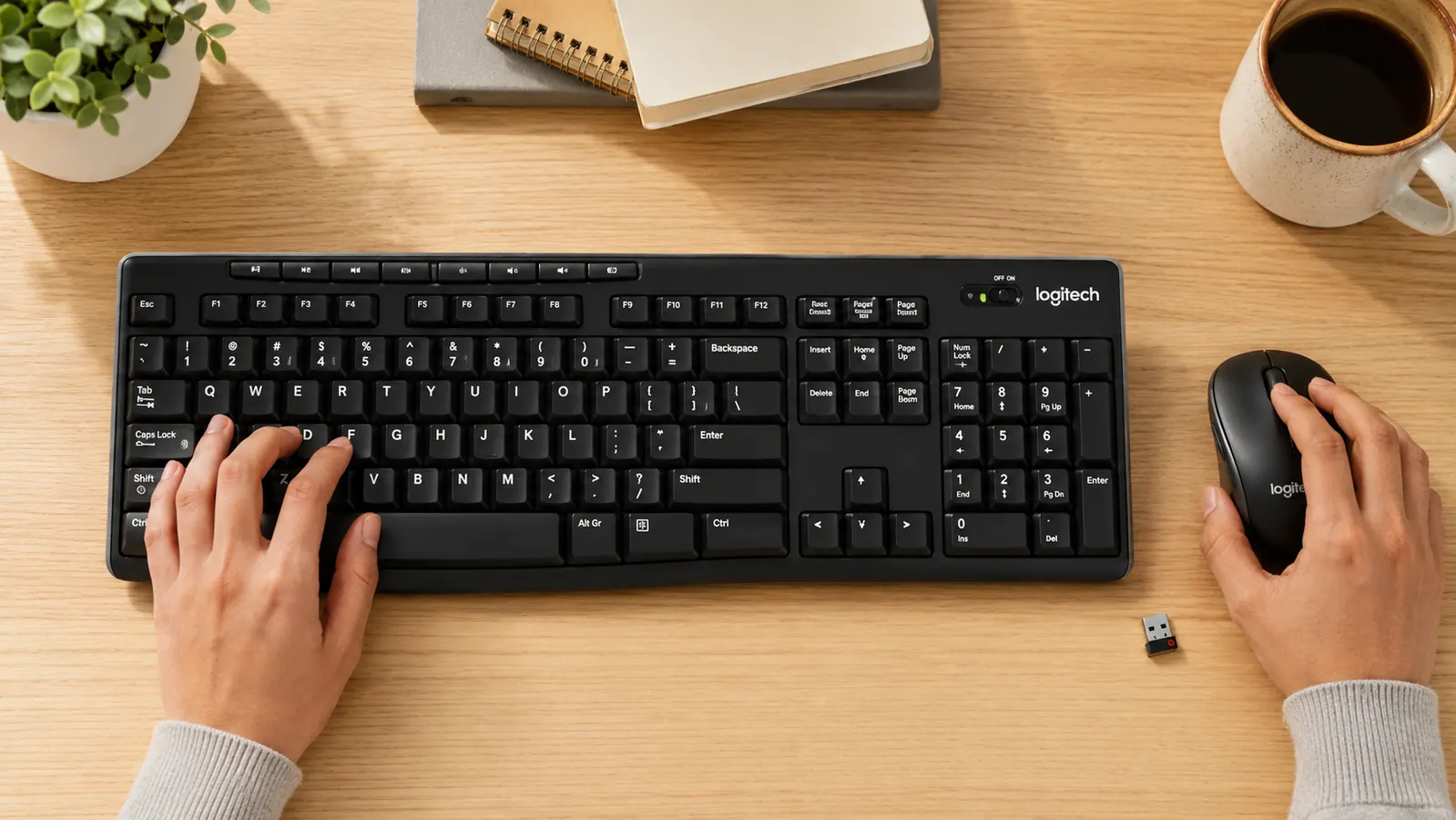
This is the obvious one, so let us get it out front. A wired keyboard and mouse each trail a cable across whatever is between them and the computer. On a desk under 48 inches, those two cables run across a meaningful chunk of the work surface. The MK270 uses a single 2.4 GHz nano receiver that sits flush in a USB port and disappears. The surface becomes one open plane.
One receiver handles both devices
Some wireless combos require a separate dongle for the keyboard and a second one for the mouse. You trade two cables for two occupied USB ports, which is a lateral move. The MK270 uses a single Unifying receiver for both. One port occupied, both devices running, one less thing to track when you move the setup or pack a bag.
You can move the keyboard without cable logic
With a wired keyboard, shifting it more than a foot from its resting position pulls the cable taut or drags the cord across anything else on the desk. You learn, over time, to just leave the keyboard where it is. With the MK270, I push it back when I need to spread out, pull it closer when I am in a long writing session, and slide it to the side when I want desk space back. No calculation required.
The mouse stops yanking things off the edge
A wired mouse has a radius. When you reach the end of it, the cord goes taut and either pulls the mouse back or lifts whatever it is plugged into. If your computer is on the desk and your USB ports are on the back, you have already felt this. The MK270's mouse tracks freely wherever your arm wants to put it. No cord tension, no yanking, no ports getting stressed from a cable pulling sideways.

Cleaning the desk becomes a ten-second job
Wiping down a desk with cables on it means lifting each cable, wiping under it, and replacing it. Or, more realistically, not wiping under it and accumulating a ridge of grime along every cable path. A wireless setup means one uninterrupted pass across the whole surface. You will actually clean the desk. Not because you became a tidier person, but because the friction is gone.
Works from the desk and from your lap equally well
The MK270 has a 33-foot wireless range. That means you can lean back in your chair with the keyboard on your lap, shift to the couch for a video call, or work from a different seat entirely without disconnecting anything. With a wired setup you are physically leashed to the port. The range on this combo is not a spec you will hit the limits of in a normal home office, which is exactly the point.
Plug in the receiver and it just works
No driver disc, no pairing sequence, no app to download. Insert the receiver and both devices are active within a few seconds. That also makes it useful across multiple machines. Bring the receiver to a second workstation, plug it in, and the keyboard and mouse work identically on that computer without any setup. One combo that travels as cleanly as it sits on a desk.

Battery life is long enough to stop being a concern
The most common pushback on wireless peripherals is the battery situation. Logitech rates the MK270 keyboard at 24 months and the mouse at 12 months on standard AA batteries. In practice, you handle it the way you handle smoke detector batteries: infrequently, only when the low-battery indicator light reminds you. Both devices have an on/off switch to stretch life further if you want to use it. This is not a daily charging situation.
A calmer desk is easier to sit down at
This one is harder to quantify but it is real. A desk with cables across it registers as disordered. You sit down and something in the background of your attention files it under things that need fixing, even if you never consciously think about it. A clear surface with just the keyboard, mouse, and monitor in view reads as ready. People set up cleaner desks and then wonder why they procrastinate less. The cable was part of it.
Solves cable management on small desks without buying anything else
On a desk under 48 inches, cable management is an ongoing project. Cable clips, routing channels, adhesive guides, under-desk trays: every solution costs something and still only partially fixes the problem because the cable still has to travel from the keyboard to a port. A wireless combo removes the problem entirely. There is nothing to route. The keyboard sits where it needs to, the mouse sits where it needs to, and the receiver lives in the back of the computer where no one ever looks.
What I Would Skip
The MK270 is not an ergonomic keyboard. The flat chiclet profile is fine for most people but if you have existing wrist problems, you will want something with a contoured wrist rest or a split layout, and this is not that. It is also Windows-native. Mac users can pair it but some function keys behave differently and there is no Mac-specific labeling on the keycaps. If you are on a Mac, Logitech's MK470 or MX Keys Mini are better fits. And there is no backlighting, so if you work regularly in a dim room, plan accordingly. None of those are reasons to avoid the MK270. They are reasons to know whether it is the right combo for your situation before buying. For most Windows home office desks, it is. If you want the full breakdown before deciding, the Logitech MK270 long-term review covers two years of daily use, and the wireless keyboard setup guide walks through positioning and receiver placement for a clean result.
The cable is not just an inconvenience. It is a small tax you pay every time you move, clean, or rearrange anything on your desk. Wireless removes the tax.
Ready to cut the last two cables on your desk?
The Logitech MK270 ships with batteries included, works immediately on any Windows PC, and requires no software. One nano receiver, keyboard and mouse both connected, nothing running across your desk surface.
Amazon Check Today's Price on Amazon →