
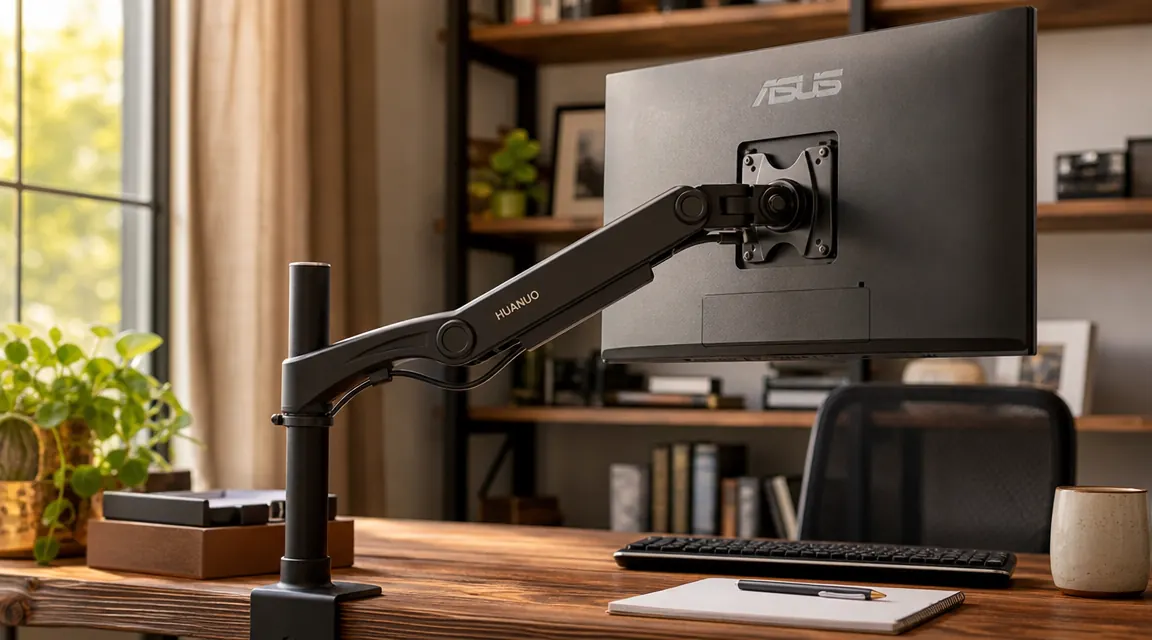
I bought the HUANUO single monitor arm expecting a simple install and a freed-up desk. What I got was also a short education in the specific ways product listings talk around the details that matter most. None of it was catastrophic. But I ran into three things I would have appreciated knowing beforehand, and two of them required a hex key and more patience than a Tuesday afternoon allowed. This review covers all of them, starting with the parts the listing buries.
I used this arm first with a 27-inch Dell S2721D (about 9.5 lbs without the stock stand) and then borrowed a 32-inch LG 34WN780 ultrawide from my brother-in-law to see how the arm handled weight and size at the upper end of what it claims to support. The ultrawide tested is 32.9 inches wide and 19.2 lbs. My desk is an IKEA BEKANT, 1.5 inches thick at the edge. I also checked the arm against a friend's solid oak dining table repurposed as a desk, which runs 2.4 inches at the edge. Both worked, but only one went smoothly.
The Quick Verdict
A strong arm for monitors in the 8 to 15 lb range on desks with standard edge thickness. The gas spring needs tuning at the extremes of its weight range, the cable channel runs out of room fast, and heavy ultrawides at full extension need elbow friction adjustment. Know those limits and it earns its price.
Amazon Check Today's Price →Your monitor stand is eating six to eight inches of desk surface it doesn't deserve.
The HUANUO single monitor arm has over 7,000 reviews and runs under $50. It installs without drilling. Check current pricing before you read further, because this one moves.
Amazon Check Today's Price on Amazon →How I've Used It
The arm went up on the BEKANT on a weekday afternoon. I used the C-clamp mount, positioned the base at the back-center of the desk, and had the monitor up in about 25 minutes including the time I spent reading the paper instructions twice. The BEKANT's 1.5-inch edge gives the clamp plenty of grip clearance. No issues there.
After three weeks on the 27-inch Dell, I borrowed the LG ultrawide and swapped monitors. That swap is where most of the interesting things happened. I ran the ultrawide for two weeks, then went back to the Dell. The clamp stayed on the desk the entire time. I repositioned the arm at least twice a day, morning for seated work, midday when I stand at a different desk, and evening when I'm reading. The articulation joints held up fine across that use pattern.
I also specifically tested the cable routing situation because the product photos are unrealistically clean. In real use I had a DisplayPort cable, a USB-C power cable, and a USB hub line running from the monitor. That's three cables that need to go somewhere.
The Clamp Jaw: One Number You Should Know Before Ordering
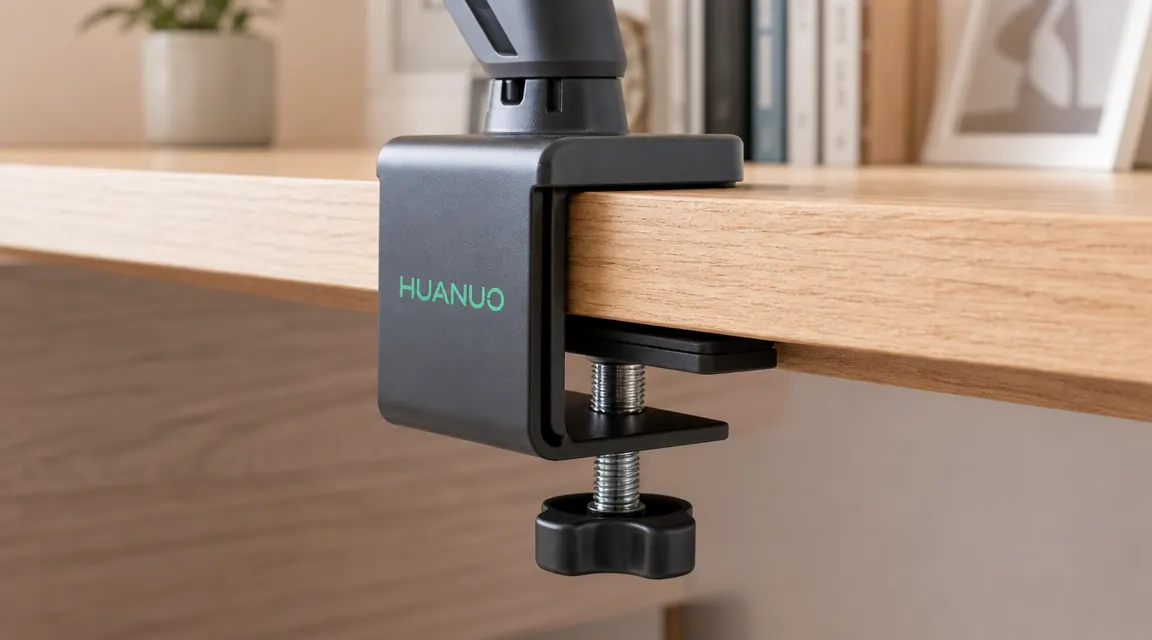
The HUANUO C-clamp jaw opens to roughly 3.15 inches (about 80mm). That number does not appear in the product title. It is in the specs, but specs on product listings are easy to skim past. For most desks, 3.15 inches is plenty. The IKEA BEKANT is 1.5 inches. Most MDF and particle board desks run 1 to 2 inches. A typical IKEA solid wood top runs about 1.75 inches. No issue.
My friend's repurposed dining table is where I hit the limit. His solid white oak top measures 2.4 inches at the edge with a rounded bevel. The clamp fit, but with about 0.7 inches of jaw remaining, and the bevel meant the rubber pad on the lower clamp face was only contacting a portion of its surface area. The arm stayed stable, but I would not feel good about a heavier monitor on that setup. At 2.75 or 3 inches of desk thickness, I would be nervous about full stability under load.
If your desk edge is over 2.5 inches thick, measure it before you order. If you hit 3 inches or above, look at the HUANUO grommet-mount version or a competing arm with a wider clamp jaw. The Ergotron LX reaches 4.7 inches. That gap matters for solid wood and certain butcher block setups.
VESA Patterns and the Ultrawide Surprise
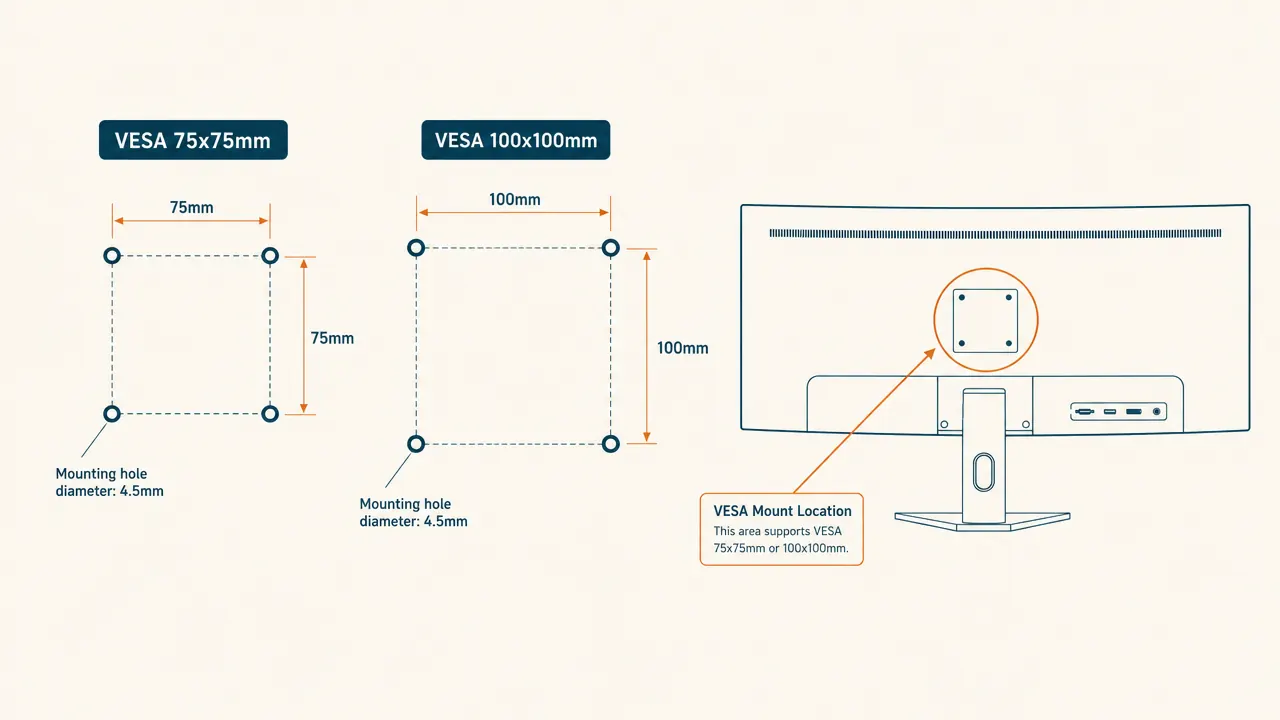
The HUANUO arm supports VESA 75x75mm and 100x100mm mounting patterns, which are the two most common patterns in the market. The listing says it fits monitors from 13 to 34 inches, and technically that's true. But fitting a 34-inch monitor in terms of VESA pattern and fitting it well in terms of physical behavior are two different things, and the listing does not make that distinction.
First, the VESA pattern check. A significant number of ultrawides between 29 and 34 inches use 100x100mm VESA, so the arm's plate will work. But some models, including certain LG, Samsung, and AOC ultrawides, use non-standard patterns or have the VESA holes recessed inside a curved housing that requires a spacer. The HUANUO plate does not include spacers. If your monitor's VESA mount sits flush with the rear shell, you're fine. If there's a recess, you need an adapter plate that does not come in the box. The LG 34WN780 I tested has a standard flush-mounted 100x100mm pattern, so it mounted without issue. But check your specific model number before you buy, not after.
For monitors up to 27 inches, this is a non-issue for the vast majority of brands and models. The VESA concern becomes relevant specifically with larger ultrawides, and even then it's probably fine for most. It's just worth a two-minute check instead of an assumption.
The Gas Spring: There's a Weight Floor, Not Just a Weight Ceiling
The spec says the gas spring supports 4.4 to 19.8 lbs. Most people pay attention to the ceiling. The floor matters too. If you're mounting a small monitor, say a 13-inch or an ultralight 15-inch display at 3 lbs, the arm will float upward when you release it. The spring is designed to hold a range, and below 4.4 lbs it has nowhere to put the excess energy except into pushing the arm up. This is a narrow use case, but it's a real one.
At the top of the range, the gas spring works, but needs calibration. The arm ships with the tension set to somewhere in the middle of the supported weight range. When I mounted the 27-inch Dell at 9.5 lbs, the arm wanted to slowly drift upward. I found the tension adjustment knob at the rear joint, grabbed a 4mm hex key (not included), and gave it about a half-turn of additional tension. That fixed it, and the arm held position without drift for the entire three weeks on the Dell.
The listing says the arm supports up to 19.8 lbs. What it does not say is that the gas spring ships tuned for a lighter load and needs adjustment before a heavier monitor will sit level and stay there.
When I swapped to the LG ultrawide at 19.2 lbs, the arm sagged slowly the first time I raised it to height and let go. The monitor dropped about 3 degrees over the following five minutes. I had to tighten the tension knob significantly, about two full turns past where it started. It then held. But finding that knob, understanding which direction to turn it, and getting the tension right took about 20 minutes of back-and-forth that the included instructions don't really walk you through clearly. If you're mounting a monitor above 16 lbs, plan for that session. It's not hard, but it's not five minutes either.
34-Inch Ultrawide at Full Extension: The Droop Reality
The arm is rated to 34 inches and 19.8 lbs. The LG ultrawide I tested is 32.9 inches and 19.2 lbs, so it's essentially at the ceiling of both specs. Here is what actually happened at full extension.
After I got the gas spring tuned correctly, the monitor held height fine. What it did not hold cleanly was its horizontal angle. The elbow joint on the arm uses friction resistance to stay in position when extended. At full extension with a 19-lb monitor, the torque on that elbow joint is significant. Over the first hour after mounting, the elbow crept downward about two degrees. Not a collapse, just a slow rotation of the arm at the elbow. The monitor didn't fall, but it was visibly lower than where I had set it.
The fix is a flathead screw on the elbow joint that increases friction resistance. I tightened it about a quarter-turn and the droop stopped. But this is the second screw adjustment I had to make in a 25-minute window, and neither adjustment was in the quick-start guide. They're in the full instruction sheet that most people fold and throw in a drawer.
Practical takeaway: if you're putting a heavy ultrawide on this arm, do not push it to full extension. Position it at roughly two-thirds reach. This reduces the torque load on the elbow joint substantially and you'll likely not need to touch the elbow friction screw at all. Mounting it at full extension with a near-ceiling-weight monitor is technically within spec, but it's working the arm harder than it's comfortable doing over a long period.
Cable Channel: One or Two Cables, Not Three
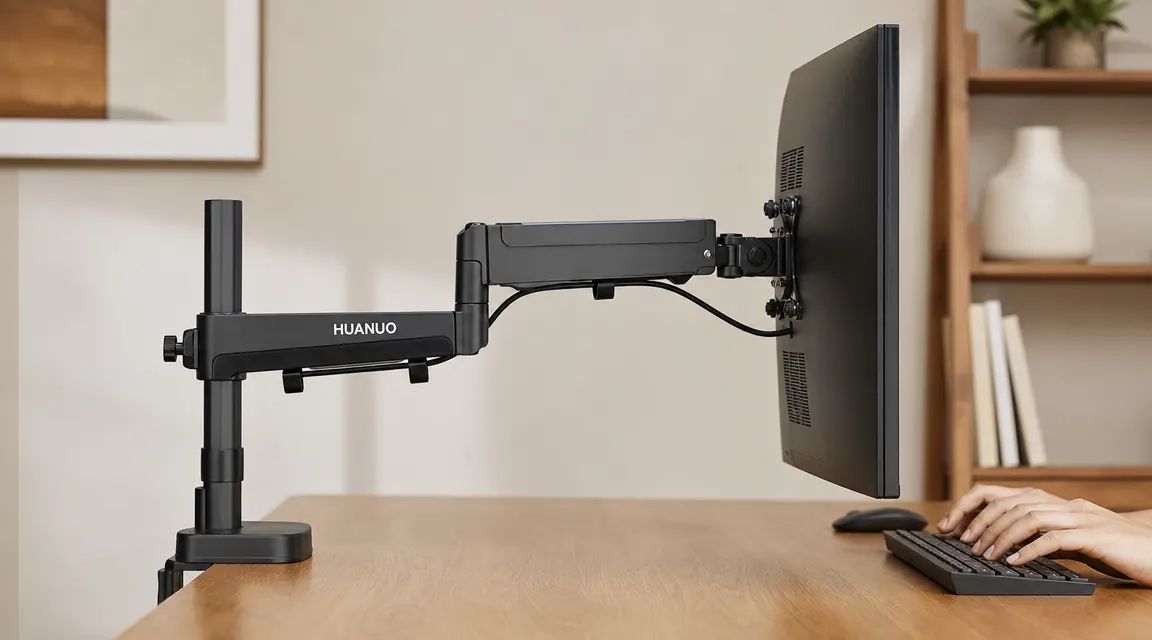
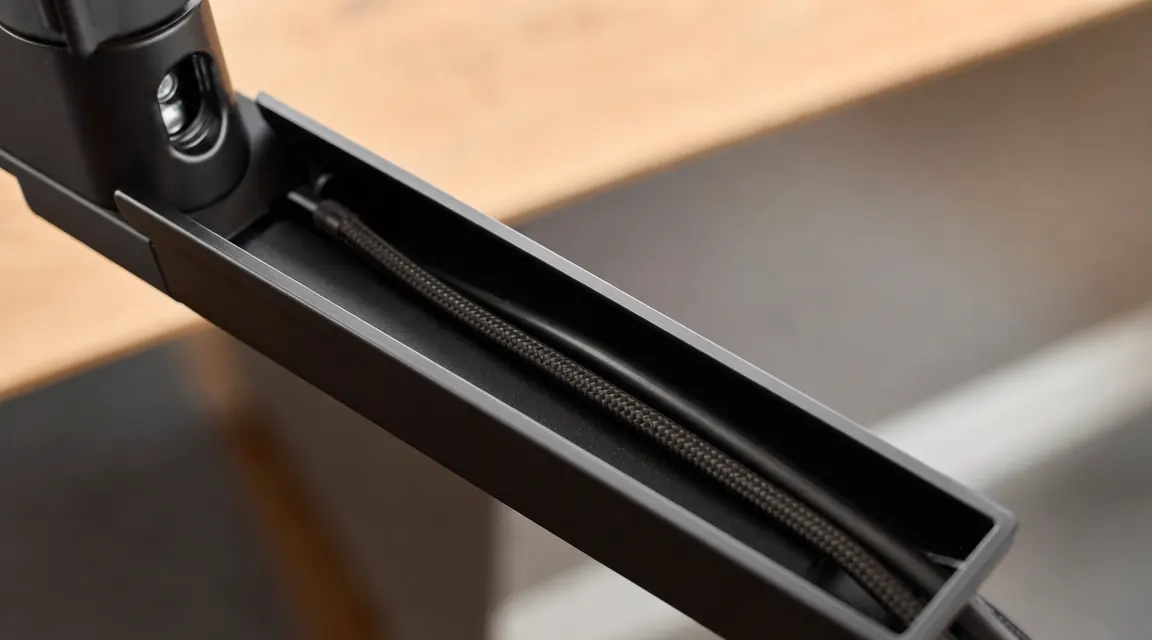
The arm has a cable trough running along the top from the base column to the monitor head. The channel is open-top, about 12mm wide and 10mm deep. In the product photos, it looks like it handles three to four cables neatly. In practice, with real cables that have real-world connector bulk, the math is different.
One cable, say a single HDMI or DisplayPort, sits in the trough cleanly. Two cables fit but it's snug. My DisplayPort and USB-C power cable both sat in the channel, and I ran a velcro strap at the midpoint to keep them from slipping out. The third cable, the USB hub line, would not fit alongside the other two without the whole bundle riding up out of the channel. I ended up running it with a clip on the arm underside.
This is a workable situation, not a deal-breaker. Three cables still look cleaner on an arm than hanging loose off a monitor stand. But the product photos set an expectation the channel does not consistently meet. If you are running a single-cable monitor (USB-C video and power combined), the trough is fine. If you have three or more discrete cables, one of them will be on the outside.
What the Arm Does Without Any Fuss
All the friction-screw talk above is specific to edge cases: monitors above 16 lbs, full arm extension, and heavy cable loads. For the center of the use case, monitors from 8 to 15 lbs on desks with standard edge thickness, this arm works exactly as advertised and requires no adjustments.
The tilt, swivel, and rotation joints are smooth and feel well-engineered for the price. My 27-inch Dell repositioned with one hand throughout three weeks, no resistance, no play, no slop in the head joint. I moved it from landscape to portrait for reading a few times and back without any special technique. Portrait rotation is one of the arm's cleaner features at this price. The arm also gives you genuinely useful reach. At full extension, roughly 21 inches from the base column to the back of the monitor, I pushed my monitor close to the back wall and opened up a full six inches of desk depth in front of it. That's not a small thing when you're working at a desk with a keyboard, a notebook, and a water bottle all competing for the same 24 inches of depth.
What I Liked
- Under $50 with more than 7,000 reviews and a 4.6 rating
- Solid aluminum arm body with no noticeable flex under the 27-inch monitor
- Gas spring works cleanly in the 8 to 15 lb sweet spot without any adjustment
- Full tilt, swivel, and portrait rotation available, all adjusted with one hand
- Both VESA 75x75 and 100x100 adapter plates included in the box
- About 21 inches of arm reach, enough to push most monitors near the back wall
- C-clamp rubber pads did not mark the desk surface after three weeks of clamping
Where It Falls Short
- Clamp jaw only opens to 3.15 inches, thicker solid wood or butcher block desks may not fit
- Gas spring ships tuned for the middle of the weight range, needs hex key adjustment at the extremes
- Elbow joint can droop slowly under heavy monitors at full extension until the friction screw is tightened
- Cable channel holds one to two cables cleanly, three or more cables overflow
- Hex key and flathead screwdriver required for adjustment, neither is included
- Not all 34-inch ultrawide VESA patterns are compatible, requires model-specific check before ordering
Who This Is For
This arm is a strong match for a monitor between 24 and 27 inches, weighing under 16 lbs, mounted on a desk with an edge between 1 and 2.5 inches thick. That covers a large portion of home office setups, including most of what you'll find on the IKEA product line and the majority of modern MDF desktops. If that's your situation, you will install this arm in about 25 minutes, not touch it again, and be happy with the result.
It also works well for small-space setups. The arm reach lets you push the monitor toward the back of the desk and recover surface depth that a monitor stand would be eating. On a compact desk where every inch of depth matters, that recovered space has real daily value. I've set up small workspaces on fold-out tables in hotel rooms, and the geometry of this arm is well-suited to making a shallow surface work better.
Who Should Skip It
Skip this arm if your desk edge is over 2.5 inches thick and you can't verify the clamp will seat cleanly before it ships. Skip it if your monitor is a heavy 34-inch ultrawide above 18 lbs and you need it at full arm extension all day, because you'll be fighting the elbow joint regularly. Skip it if you need three or more cables fully enclosed in the channel rather than partially managed.
For those use cases, the Ergotron LX handles heavy monitors and thick desks more reliably. The price gap is real and significant, but so is the difference in how the arm behaves when working at the upper edge of its limits. If your setup is firmly in the center of the HUANUO's range, though, spending four to six times more for an Ergotron is hard to justify. I cover that comparison in detail in the HUANUO vs Ergotron LX piece if you want to work through the math.
Standard desk, monitor under 16 lbs, single cable? The HUANUO is a straightforward win at this price.
Over 7,000 reviews, 4.6 rating, and a sub-$50 price tag. Installs without drilling. Check current availability and pricing on Amazon.
Amazon Check Today's Price on Amazon →